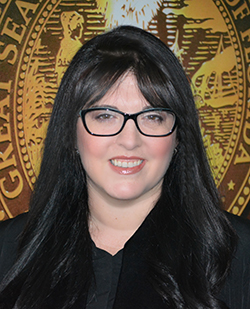
Natalie Moore
- Division: County Civil
- Section: ND 02
- Court Location: North Dade Justice Center
- Phone: (305) 354-8761
- Room: NDJC 210
- Judicial Assistant: Arina Shchegolikhina
JA's email: ashchegolikhina@jud11.flcourts.org - (Copy to all parties required)
Court Specialist's email: lonofresolis@jud11.flcourts.org - (Copy to all parties required)
Judge Moore holds most hearings via Zoom in her virtual courtroom. Parties should refer to the Notice of Hearing to determine if the hearing will be via Zoom or In-Person.
Anyone can access the Zoom Platform. It is free to all users. You can access the Virtual Courtroom using a computer, tablet, or smartphone. Alternatively, you may use a regular phone, which will allow you to appear by phone, but not by video. Please note: Any person who intends to testify must appear via video.
To access Judge Moore's Virtual Courtroom, use the Zoom information below:
To access the Virtual Courtroom, using a computer, tablet or smartphone you can use the following methods:
Direct link to Virtual Courtroom: https://zoom.us/j/3059052096
OR
Registered Zoom Account: Use meeting ID 305 905 2096
OR
Using only a telephone: Dial 1-786-635-1003 and enter meeting ID 305 905 2096#.
You do not need a participant ID.
Please arrive in the Virtual Courtroom at least 5 minutes before your scheduled hearing time.
The setting party must provide Notice of Hearing with instructions on how to appear using Zoom to the opposing party when scheduling a hearing and must file the notice with the Clerk.
Self-represented Litigants can register at the following links:
Use this link for scheduling hearings https://cmap.jud11.flcourts.org
Use this link to file documents/motions https://www.myflcourtaccess.com/
- All Agreed Orders must be submitted via courtMAP in Microsoft Word format.
- Please follow instructions in AO NO. 22-02.
Parties may submit agreed orders extending discovery deadlines. As cases are set on an expedited basis, the Court encourages the parties to work together to prepare cases for resolution.
Parties may submit agreed orders regarding mediation. If parties cannot agree on a mediator, an email should be sent to the Judicial Assistant, and the Court will appoint a mediator for you.
THE COURT DOES NOT ACCEPT AGREED ORDERS CONTINUING CASES, OR CHANGING TRIAL DEADLINES. Motions to alter a trial date must be set for hearing and heard BEFORE calendar call.
Go to courtMAPPlease submit the filed Emergency Motion via courtMap following these steps:
Workbench > New > Emergency Motion > Input Case Number
The Court will review the Emergency Motion and communicate within 24 hours. If you have not received a communication from the Court within 24 hours, please follow up by calling chambers.
Go to courtMAPType: Closed
Notice Before Hearing: 10 Calendar Days
Files at Hearing: None
Parties may utilize the courtMAP system to schedule coordinated hearings. If coordination cannot be accomplished, it is the responsibility of the moving party to contact the judicial assistant to have a hearing scheduled.
If a hearing date is not available in the timeframe needed, the parties must contact the judicial assistant.
Every effort will be made to accommodate reasonable scheduling requests.
PARTIES MAY NOT UNILATERALY SET CASES. If coordination is not possible, please immediately contact the Judicial Assistant and the Court will set your case for hearing.
LANDLORD/TENANT CASES: Please do not set eviction cases on the 5-minute motion calendar. Eviction matters should be set on a 15-minute motion calendar. Please contact the Judicial Assistant to schedule these hearings, which will be heard consistent with Summary Procedure rules.
- All Proposed Orders must be submitted via courtMAP in Microsoft Word format.
- Please follow instructions in AO NO. 22-02
15-MINUTE AND 30-MINUTE HEARINGS:
Parties requiring a special set hearing should email Chambers at ashchegolikhina@jud11.flcourts.org . Email should include an e-filed copy of the motion, and a completed special set request form with full details provided. All parties must be copied on the email to Chambers.
UNILATERAL SETTINGS ARE NOT PERMITTED. If you cannot coordinate a hearing, please contact the judicial assistant so the Court can set a hearing on your case.
Judicial Assistant Arina: ashchegolikhina@jud11.flcourts.org
Court Specialist Luma: lonofresolis@jud11.flcourts.org